🎨 Photoshop’s AI Generative Infill: How Adobe’s Firefly is Revolutionizing Image Editing
🤖 My First Hands-On Experience with Photoshop’s Mind-Blowing AI Fill Tool
Adobe just dropped one of the most game-changing features in Photoshop history 🎯 The Generative Infill tool, powered by their Firefly AI 🤖🔥, is now available in Photoshop Beta — and I had to try it immediately ⚡
What makes this different from every other AI image tool? It’s not generating images from scratch 🚫 It’s intelligently extending, filling, and completing YOUR existing photos with context-aware AI magic ✨🖼️
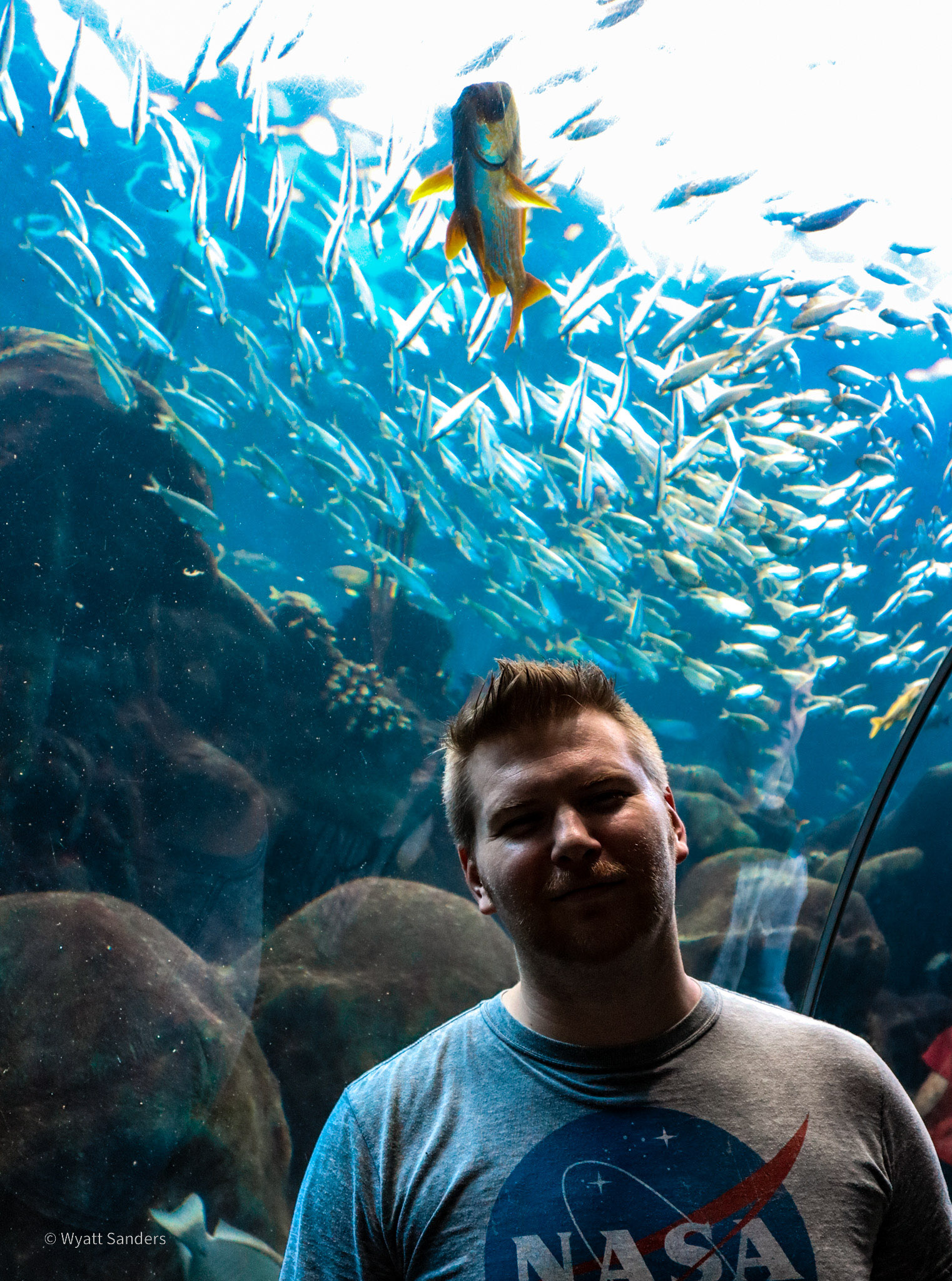
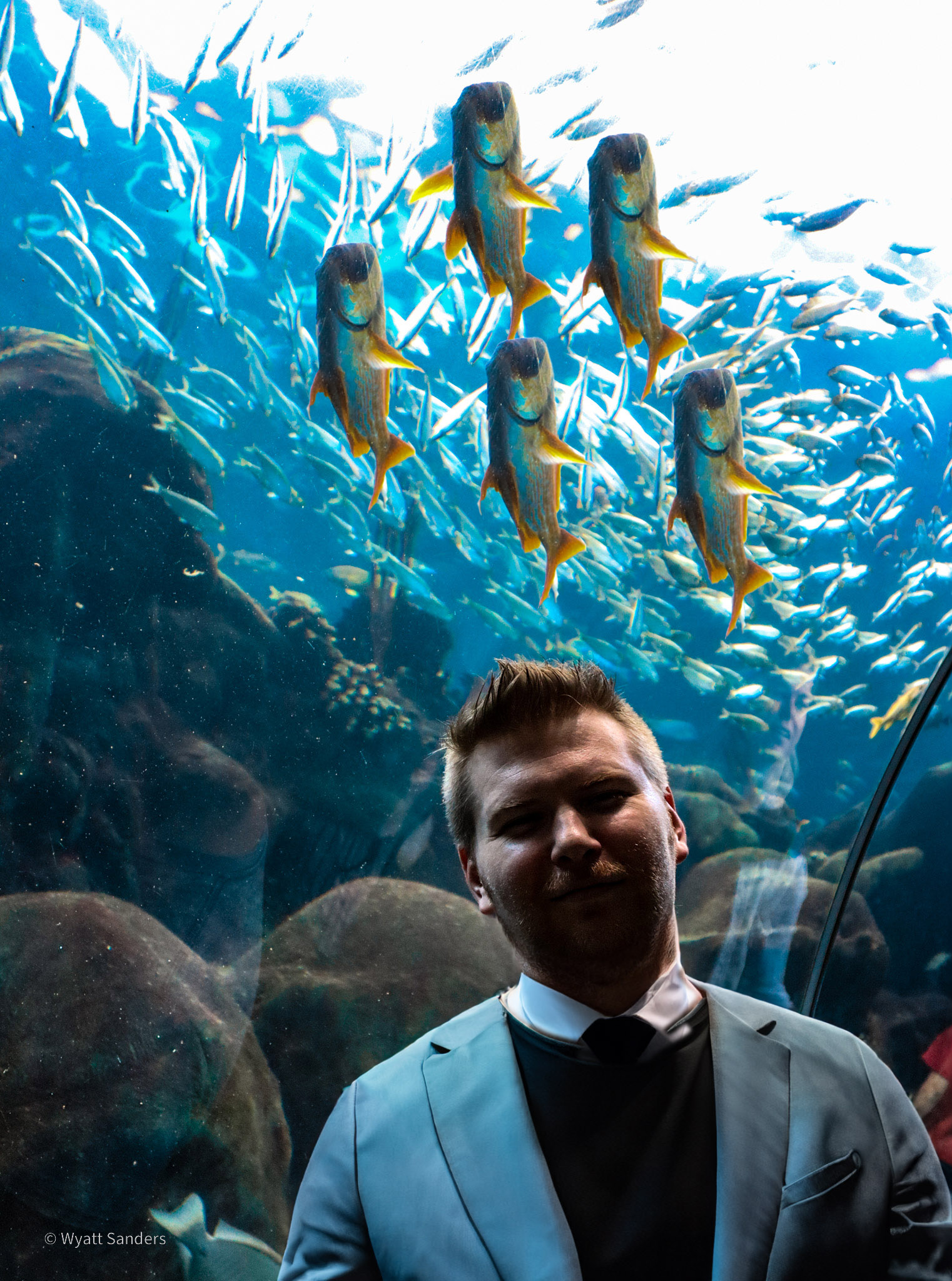
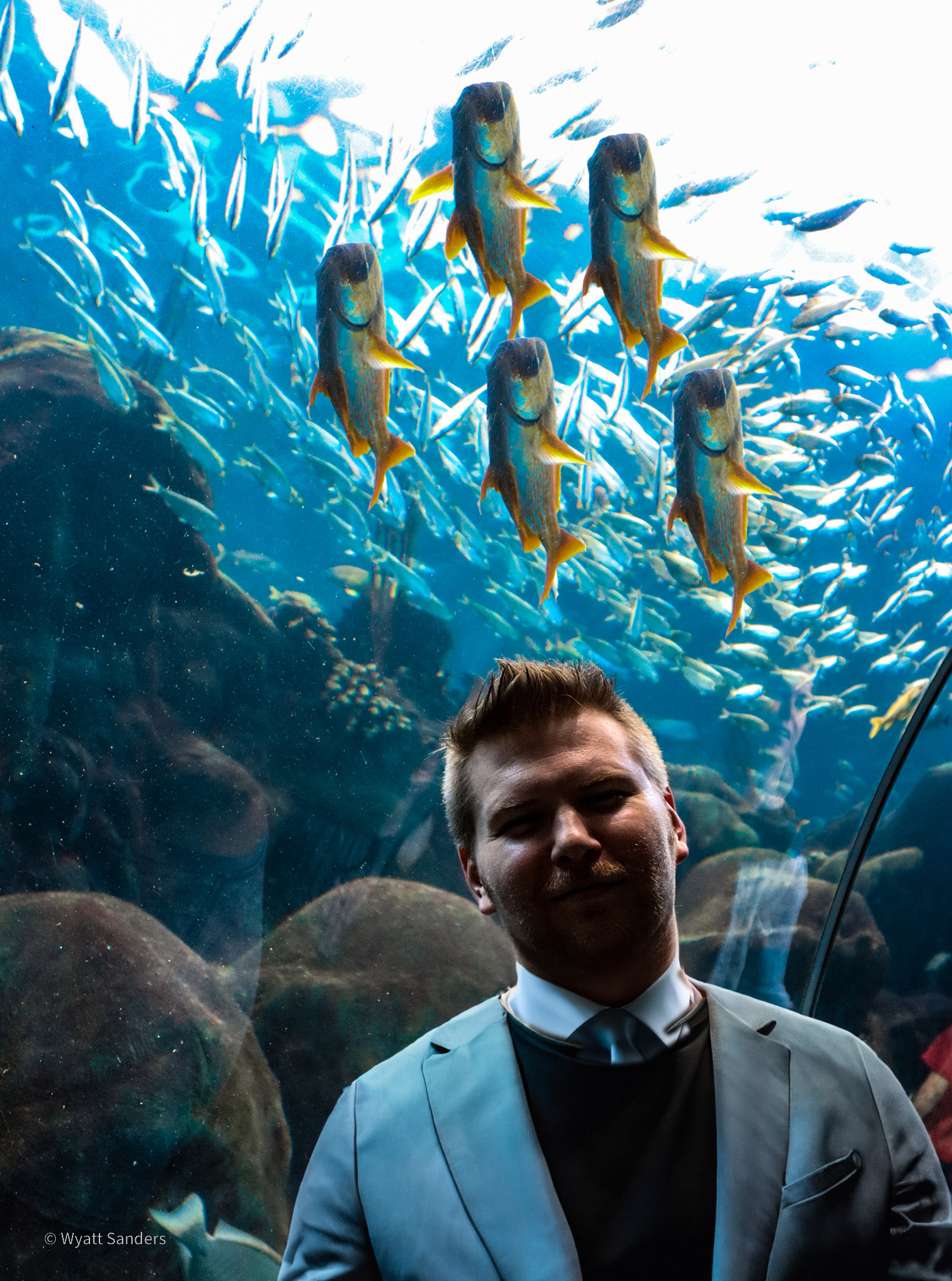
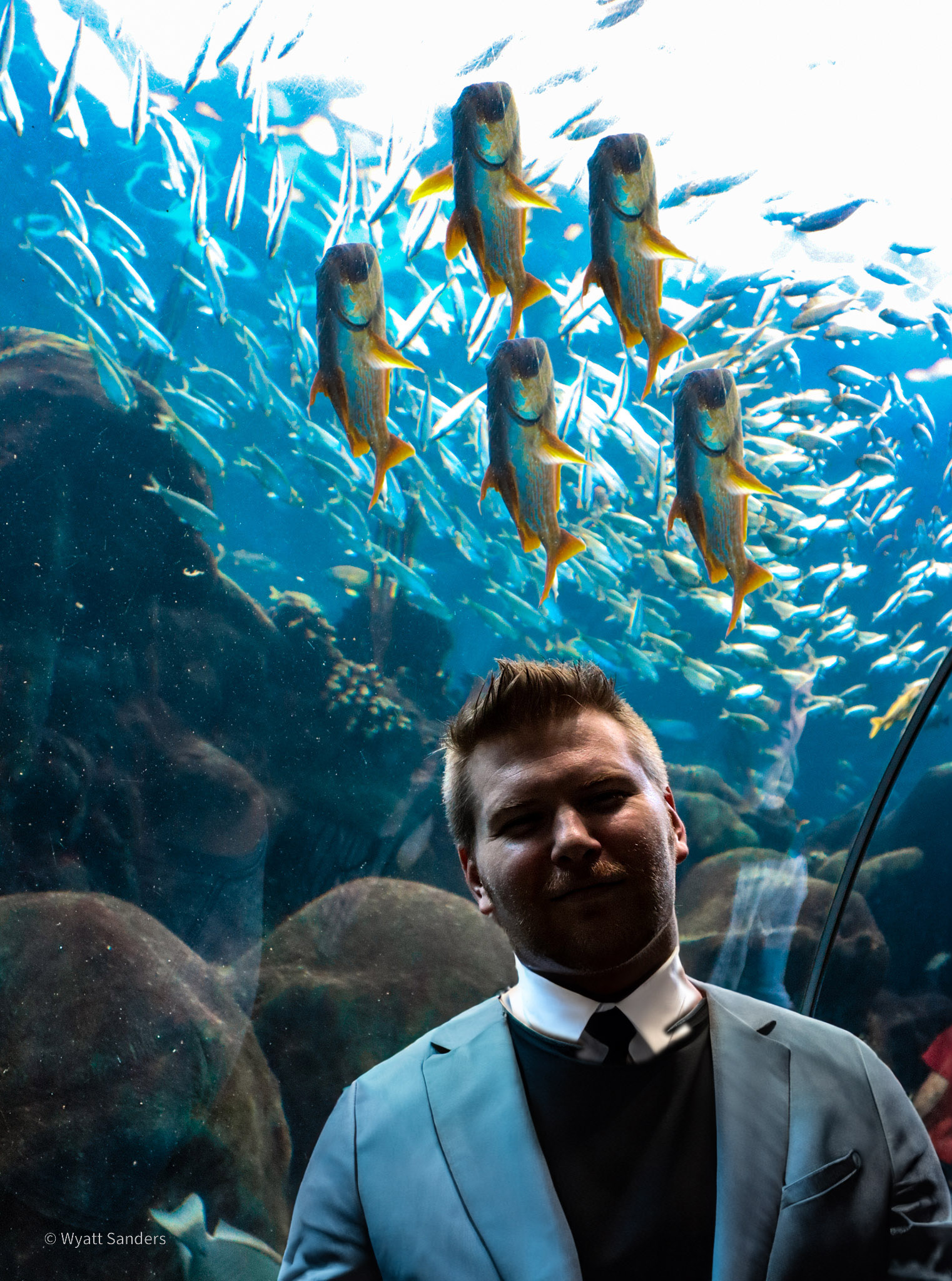
I spent an afternoon playing with this feature on a portrait photo 📸 Below, you can see the progression from the original image through each AI-powered extension 🎬 The results honestly blew my mind 🤯
📸 The Photo Gallery: AI Infill Progression
Below is a gallery showing the step-by-step transformation using Photoshop’s Generative Infill 🎨 Each image represents a stage in the AI-assisted creative process:


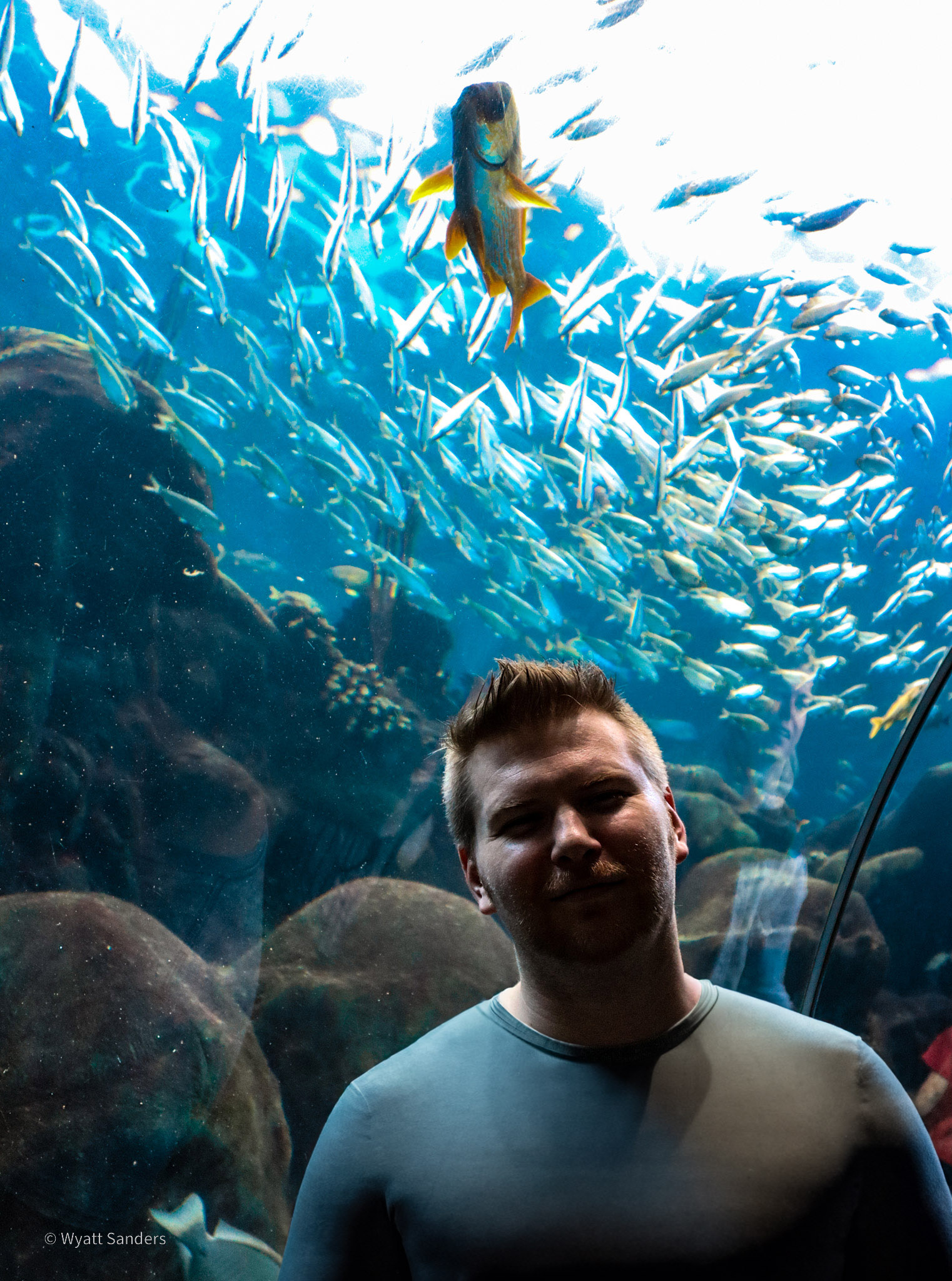
🤯 What Just Happened? Understanding Generative Infill
If you’re looking at those images and thinking “Wait, did the AI just… extend the photo?” — YES! That’s exactly what happened ✨
Here’s what I did step by step 📝:
- 🖼️ Started with the original portrait photo — a vertical image that I wanted to extend
- 🎨 Used the Rectangular Marquee Tool to select empty canvas areas around the photo
- 🤖 Clicked “Generative Fill” — no text prompt needed! The AI analyzed the existing image
- ✨ Watched Photoshop extend the image with contextually appropriate content
- 🔄 Repeated the process for multiple rounds, extending further each time
The crazy part? The AI matched lighting, color grading, texture, and style automatically 🎯 No manual cloning, no content-aware fill limitations, no hours of tedious work ⏰❌
For comparison, I’ve also explored other AI art tools in my AI Art Generation comparison post 🎨🤖 — but this Photoshop integration is something entirely different 🔥
🔧 How Does Generative Infill Actually Work?
Adobe’s Firefly AI isn’t just randomly generating pixels 🎲 It’s using a sophisticated understanding of:
- 🎨 Style consistency — Matching the photo’s artistic style
- 💡 Lighting continuity — Maintaining consistent light sources and shadows
- 🎭 Context awareness — Understanding what SHOULD be in the extended areas
- 🖌️ Texture matching — Replicating surface details seamlessly
- 🎪 Perspective accuracy — Maintaining proper spatial relationships
When you select an empty area and invoke Generative Fill, the AI looks at the edges of your existing content and asks: “What would logically continue here?” 🤔💭
It generates multiple variations (usually 3 options) for you to choose from 🎯 Don’t like the first result? Click generate again for different interpretations 🔄
💡 Use Cases for Generative Infill
This isn’t just a party trick 🎉 It’s incredibly practical for real workflows:
📐 Aspect Ratio Changes
Need to turn a vertical Instagram photo into a horizontal banner? 🔄 Generative Infill can extend the sides intelligently, maintaining the subject while creating appropriate background content 🖼️
🖼️ Object Removal & Replacement
Old method: Clone stamp, healing brush, hours of work 🔧
New method: Select object, delete, Generative Fill replaces the area seamlessly ✨
🌄 Background Extension
Shot a portrait but need more sky? 🌤️ Need ground for a product shot? Generative Infill extends naturally, matching the existing environment 🏞️
🎨 Creative Compositing
Want to place a subject in a new environment? 🌍 Extend the canvas, and the AI helps blend the subject into the new scene naturally 🎭
⚡ My Real-World Workflow Test
I’m not just playing with demo images — I tested this on real projects 🎯
Test 1: Portrait Extension 📸
Original image was too vertical for a website banner needed horizontal 📐
Result: AI extended the sides with matching bokeh background in 30 seconds ⚡
Time saved: ~45 minutes vs. manual cloning 🕐
Test 2: Removing Distracting Elements 🚫
Street sign in an otherwise perfect landscape shot 🏞️
Result: Selected sign, deleted, Generative Fill created matching grass and sky 🌾
Quality: Client couldn’t tell it was edited 🎯
Test 3: Texture Creation 🎨
Needed to extend a fabric texture for a mockup 👕
Result: AI matched weave pattern, lighting, and shadows perfectly ✨
Previous method: Would have required finding/buying a larger texture image 💸
🎭 The Controversy: Is This “Cheating”?
Some photographers and designers are uncomfortable with AI tools 🤔 They argue it’s “not real photography” or “ruins the craft” 📸❌
Here’s my take as an engineer and creator 👨🔧:
Tools evolve 🛠️➡️🔧 Digital cameras were controversial once 📷 Skeuomorphic design was replaced by flat design 🎨 We adapted 🧠
Generative Infill isn’t replacing creativity — it’s removing tedious technical work 🔧✨ The artistic decisions (composition, lighting, moment of capture) are still yours 🎭
Would you rather spend 2 hours clone-stamping to remove a power line 🕐🔧 or 30 seconds with AI and focus on color grading, retouching, and creative decisions? 🤔💭
Speaking of AI tools transforming creative work, check out my AI-generated song about Laika 🎵🐕 — another example of human creativity enhanced by technology 🎼🤖
⚠️ Limitations to Know
Generative Infill isn’t perfect (yet) 🚧 Here are the gotchas:
- 📄 Complex patterns — Tile patterns, intricate backgrounds sometimes get confused 🌀
- 👤 People in extensions — The AI struggles with generating realistic human features in extended areas 👁️
- ✋ Hands and faces — Classic AI weakness. Don’t expect the AI to generate convincing hands 🤚❌
- 📝 Text — Generated text is gibberish 🗑️ Remove text areas or plan to overlay real text later 📄
- 🎨 Very abstract art — The AI prefers concrete, photographic content over surrealism 🌈
🔮 The Future of Creative AI
Adobe integrating Firefly directly into Photoshop signals something huge 🚀 AI isn’t just for standalone apps anymore 📱 It’s becoming part of professional workflows 💼
What I’m excited about next:
- 🎥 Video Generative Fill — Extending video frames for aspect ratio changes 🎬
- 🎵 Audio integration — AI-generated soundscapes for video editors 🎧
- 🖌️ Style transfer — Applying one image’s style to another seamlessly 🎨
- 📊 Batch processing — AI handling multiple images with consistent style 📁
The line between “taking a photo” and “creating an image” is blurring 🌫️📸 But for working professionals who need to deliver results, these tools are game-changers 💎
🏁 Final Thoughts
Adobe’s Generative Infill isn’t just a cool feature 🎉 It’s a paradigm shift in image editing 🔄 What used to require hours of technical skill now takes seconds with intelligent AI assistance 🤖⚡
Is it perfect? No ❌ Does it replace human creativity? Absolutely not 🎭 But it removes the barriers between your creative vision and the final result 🎯✨
As someone who works at the intersection of technology and engineering, I’m thrilled to see AI tools that enhance rather than replace human capability 🧠💪
My advice? Download Photoshop Beta, grab a photo, and try it yourself 🖼️🤖 You’ll understand why this is being called the most significant Photoshop update in decades 🏆📅
Just be prepared to lose a few hours playing with it 😅 It’s that addictive 🎮✨
📚 Related Posts
- AI Art Tools Comparison: DALL-E 2, Midjourney, Stable Diffusion 🎨🤖
- Laika: AI-Generated Song About the First Dog in Space 🎵🐕
- AI Tools and Creative Technology Reviews 🔧
- Photography Tips and Workflow Optimization 📸
🎨 Written while testing Photoshop Beta’s Generative Infill on way too many photos 📸🤖
 English
  Spanish